Build a mind map
without grabbing your mouse
No signup. No install. Open the page and start typing your first node in seconds. MindKey handles the layout so you can stay with your thoughts.
Start mind mappingKorean page →
No account · unlimited maps · no watermark · web based
Why most free mind map tools do not feel free
Many free plans add friction right when you need to think quickly: account gates, map limits, export restrictions, or watermarks.
| Common problem | What happens | MindKey |
|---|---|---|
| Free plan limits | Only a few maps, storage caps, or paid export options | Unlimited maps and watermark-free exports |
| Signup friction | Email or social login before you can even start | No account required |
| Slow input | Create nodes with buttons, drag them around, then type | Keyboard-first editing with automatic layout |
| Export mismatch | The exported image differs from the canvas preview | The same SVG pipeline powers screen and export |
Three keys are enough to grow the tree
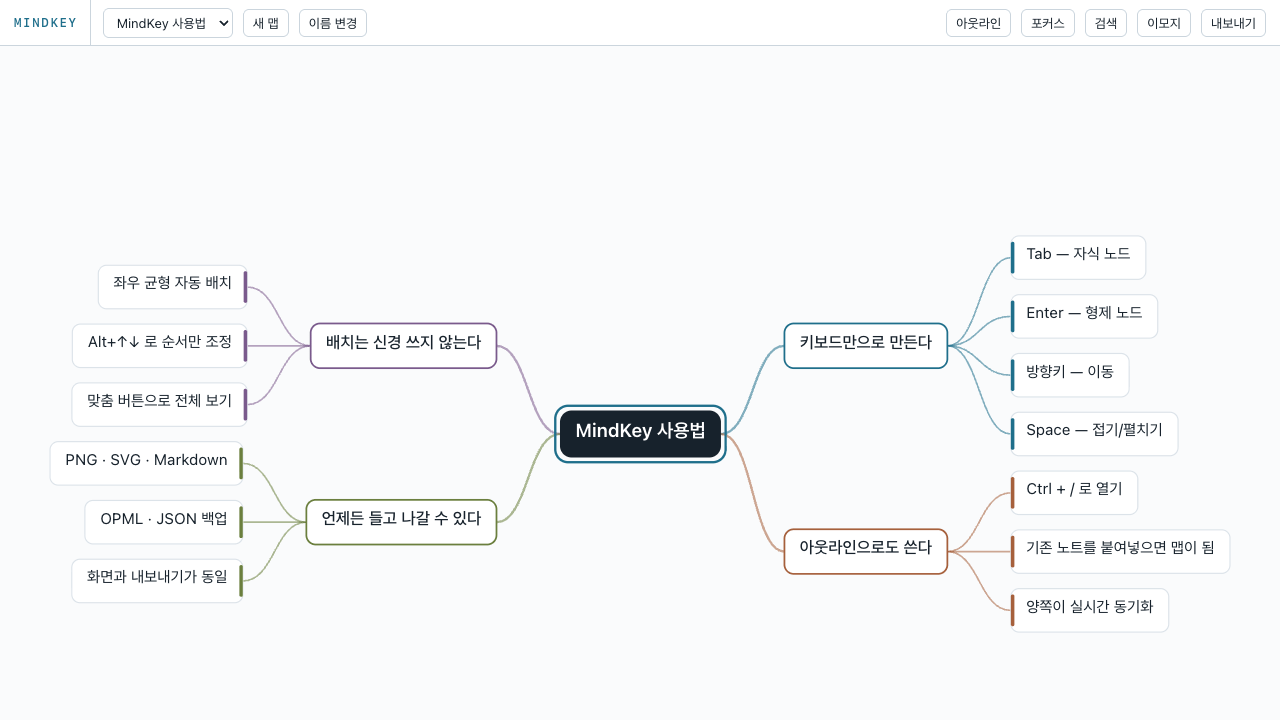
Create a child with Tab, add a sibling with Enter, and move back up with Shift+Tab. Each new node is focused immediately, so your hands stay on the keyboard.
Keyboard-first flow
Fast note capture for meetings, study plans, writing outlines, and brainstorming.
Private by default
Your maps stay in browser storage. Use JSON export when you need a backup.
Portable exports
Export PNG, SVG, Markdown, OPML, and JSON without a watermark.
Frequently asked questions
Is there really no signup?
Yes. MindKey does not ask for email, social login, or an account.
Can I make unlimited maps?
Yes. Maps are stored locally in your browser, so MindKey does not need a map limit.
Will exported files have a watermark?
No. PNG, SVG, Markdown, OPML, and JSON exports are watermark-free.
Can teams edit together?
No. MindKey focuses on fast solo thinking, not real-time collaboration.
Open it and start typing
Your first node is only a few seconds away.
Start mind mapping